
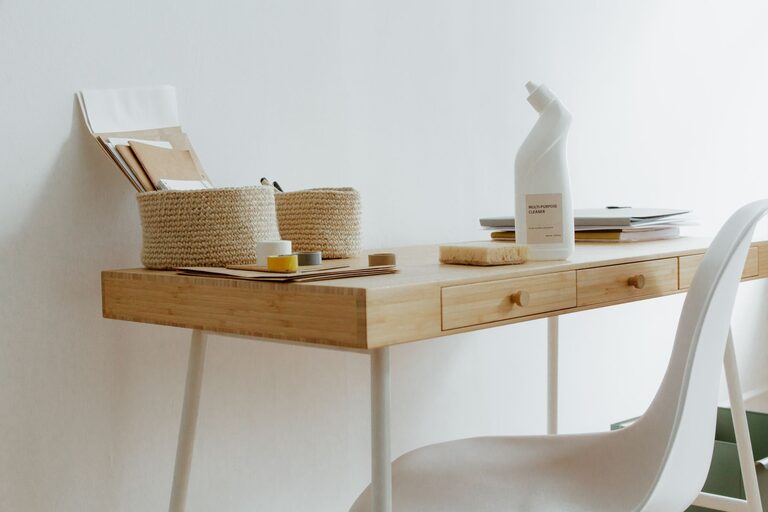
Creating a workspace that is both clutter-free and organized can have a significant impact on your productivity and overall work satisfaction. A tidy workspace reduces distractions, helps you find what you need quickly, and creates a calming environment that fosters concentration. Whether you work from home or in an office, these tips will help you organize your workspace for maximum efficiency.
Why a Clutter-Free Workspace Matters
Before diving into the how-to, it’s helpful to understand why organizing your workspace is worthwhile. Clutter can:
– Increase stress and anxiety
– Make it harder to focus on tasks
– Waste time searching for misplaced items
– Reduce motivation and energy
By keeping your desk and surrounding area neat, you set yourself up to work more efficiently and with greater clarity.
Step 1: Clear Everything and Start Fresh
Begin your organization process by removing everything from your desk or work area. This fresh start lets you decide what truly belongs there and what doesn’t.
– Empty drawers and shelves.
– Sort items into categories: keep, relocate, recycle, or trash.
– Clean your desk surface properly.
This thorough cleaning can feel refreshed and invigorating.
Step 2: Prioritize Essential Items
Not everything on your desk is necessary every day. Focus on keeping only the most important tools and supplies within arm’s reach.
– Place your computer, keyboard, and mouse centrally.
– Keep your phone and notebook nearby.
– Use desk organizers for pens, sticky notes, and small supplies.
– Store rarely used items in drawers or cabinets.
Having only essentials visible reduces visual clutter and distractions.
Step 3: Use Smart Storage Solutions
Investing in the right storage solutions helps keep things orderly and easy to access.
Desk Organizers and Trays
– Use trays or small containers to group similar items like paper clips, pens, or USB drives.
– Vertical organizers can hold files or folders upright to save space.
Drawer Dividers
– Drawer dividers separate different supplies and prevent them from mixing.
– Adjustable dividers let you customize spaces to fit your items.
Shelving and Filing Cabinets
– Use shelves to store books or binders neatly.
– Filing cabinets or portable file boxes help manage papers effectively.
Step 4: Digitize Documents and Notes
Where possible, reduce physical paper clutter by going digital.
– Scan important documents and save them in organized folders on your computer.
– Use note-taking apps instead of sticky notes.
– Manage tasks with digital to-do lists or project management tools.
Fewer papers mean less clutter and more searchable information.
Step 5: Establish Daily Habits to Maintain Order
Organization is not a one-time event — daily habits keep clutter from building up again.
– Spend 5–10 minutes at the end of each day tidying your desk.
– File or recycle papers immediately.
– Put items back in their designated places.
– Empty your trash bin regularly.
These small actions prevent clutter from overwhelming your space.
Step 6: Personalize Wisely
While the goal is a clutter-free space, a few personal touches can make your workspace inviting and enjoyable.
– Choose 1–2 decorative items like a small plant or photo frame.
– Keep personal items minimal to avoid distraction.
– Use calming colors or accessories that inspire you.
A personalized yet neat workspace encourages creativity and comfort.
Step 7: Position Your Workspace for Comfort and Focus
Your workspace layout greatly influences your efficiency.
– Ensure your desk is well-lit, preferably with natural light.
– Position your monitor at eye level to avoid strain.
– Choose an ergonomic chair for prolonged comfort.
– Reduce noise distractions, using noise-canceling headphones if needed.
A comfortable setup allows you to concentrate longer and feel less fatigued.
Step 8: Review and Adjust Regularly
Organization needs change over time based on projects or preferences.
– Review your workspace setup monthly.
– Remove or add items as necessary.
– Experiment with different organizational tools or layouts.
Adjusting your space keeps it aligned with your productivity needs.
—
By following these tips, you can create a clutter-free workspace that supports focus and efficiency. Remember, the key is balancing functionality with simplicity — a workspace that’s clean, organized, and tailored to your habits will naturally boost your productivity. Take it step by step, and you’ll enjoy a more pleasant, effective work environment every day.